
Introduction
In Day 5, you learned how to read data using SELECT.
But real-world analysis is not about seeing everything.
It is about finding specific information.
Today, you will learn how to filter data using the WHERE clause.
What You Will Learn Today
You will understand how to filter rows using conditions
You will learn to extract only required data
You will use comparison operators like =, >, <
You will answer simple business questions using SQL
Why This Skill Matters for Your Career
In real jobs, almost every query uses filtering.
Managers don’t ask:
“Show all employees.”
They ask:
“Show Sales employees”
“Show high salary employees”
“Show specific records”
WHERE helps you answer these questions instantly.
Concept Explanation in Simple Terms
Think of applying a filter in Excel.
You don’t scroll through everything.
You apply a condition and see only matching rows.
WHERE works the same way in SQL.
You tell the database:
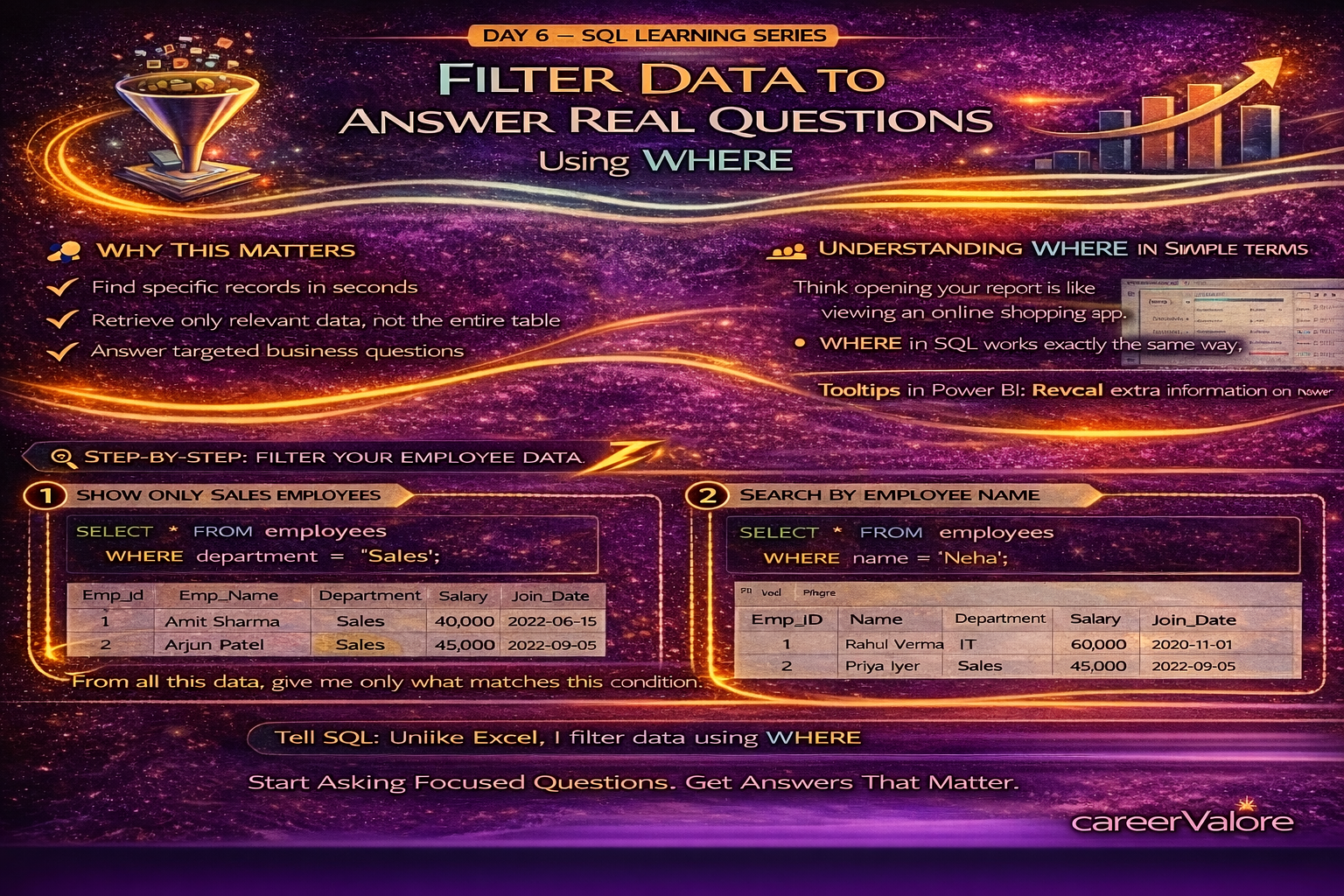
“Give me only the rows that match this condition.”
How This Connects to Previous Days
You already know how to read the table.
Now you will start asking questions from it.
This is where SQL becomes a problem-solving tool.
Step-by-Step Practical Section
Use the same employees table from Day 3.
View full data:
SELECT * FROM employees;
Filter employees from Sales department:
SELECT * FROM employees
WHERE department = ‘Sales’;
Find employees earning more than 40000:
SELECT * FROM employees
WHERE salary > 40000;
Find a specific employee:
SELECT * FROM employees
WHERE EMP_NAME = ‘Neha’;
Select only EMP_NAME and salary for IT department:
SELECT EMP_NAME, salary FROM employees
WHERE department = ‘IT’;
Explain What Just Happened
You controlled what data is returned.
Instead of all rows, you got only matching records.
This makes your queries faster and more meaningful.
Common Mistakes to Avoid
Forgetting quotes around text like ‘Sales’
Using wrong column EMP_NAMEs
Using == instead of =
Not understanding the condition properly
Try This Yourself (Mini Practice)
Write queries to:
Show employees with salary less than 50000
Display only HR employees
Find employees with salary equal to 45000
How This Connects to Previous Days
You moved from reading data to filtering data.
This is exactly how real analysts work step by step.
What Comes Next
Next, you will learn how to use multiple conditions together using AND and OR.
This will allow you to ask more advanced questions.
Stay Connected and Keep Practicing
Blogs WhatsApp Channel (for daily quizzes and blog updates):
https://whatsapp.com/channel/0029VbCcWME4inotCWmN5511
For job alerts and career updates, stay connected here:
Telegram Channel (Job Updates & Career Alerts):
https://t.me/careervalore
WhatsApp Channel (Daily Job Updates):
https://www.whatsapp.com/channel/0029Vay7sUV11ulUIhLBUI44
Conclusion
Today, you learned how to filter data using WHERE.
This is one of the most important SQL skills in real jobs.
You are now not just reading data — you are extracting meaningful insights.