
Introduction
In Day 3, you created your first table and inserted employee data into it.
Now you have a working dataset.
But in real jobs, analysts never look at the entire table all the time. Businesses ask specific questions like:
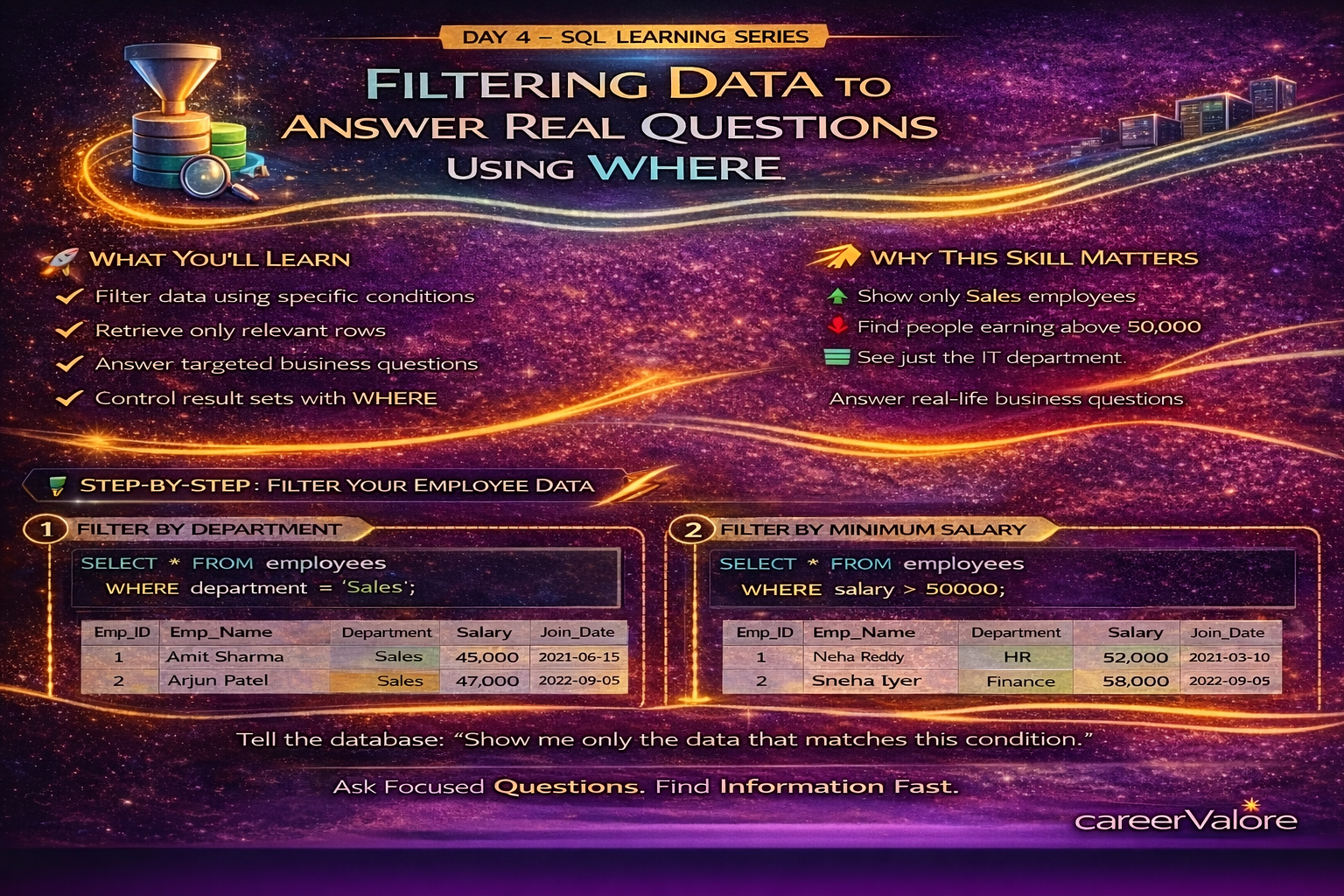
Show only Sales employees.
Find people earning above a certain salary.
See records from a particular department.
This is Day 4, where you start extracting only the information you need instead of viewing everything.
What You Will Learn Today
You will understand how to filter data using conditions.
You will learn how to use the WHERE clause.
You will retrieve only relevant rows instead of full tables.
You will answer simple business questions using SQL.
You will begin thinking like an analyst, not just a learner.
Why This Skill Matters for Your Career
In companies, no one asks for “all the data.”
They ask focused questions:
Which employees are in Sales?
Who earns more than 50,000?
Which department has specific records?
Filtering is one of the most used SQL skills in real analyst roles. Almost every query written in a workplace includes conditions.
Concept Explanation in Simple Terms
Think of WHERE like using filters in Excel.
Instead of scrolling through thousands of rows, you apply a filter to see only what matters.
SQL does the same thing, but faster and on much larger datasets.
You are telling the database:
“Don’t show me everything. Show me only what matches this condition.”
How This Connects to What You Already Built
You created the employees table yesterday.
Today you are using that same table to start asking questions from it.
This is exactly how real-world analysis begins — first structure, then filtering, then insights.
Step-by-Step Practical Section
Open your employee_data.sql file in VS Code.
Let us first look at the full table again:
SELECT * FROM employees;
Now filter employees who work in the Sales department:
SELECT * FROM employees
WHERE department = ‘Sales’;
You will now see only Sales employees instead of all records.
Next, find employees earning more than 50,000:
SELECT * FROM employees
WHERE salary > 50000;
Now filter using a specific employee EMP_NAME:
SELECT * FROM employees
WHERE emp_EMP_NAME = ‘Neha Reddy’;
You can also select only certain columns instead of everything:
SELECT emp_EMP_NAME, salary
FROM employees
WHERE department = ‘IT’;
Explain What Just Happened
You didn’t change the data.
You simply controlled what the database returned.
This is how analysts extract meaningful slices of data without touching the original dataset.
You moved from “viewing data” to “querying with purpose.”
Common Beginner Mistakes to Avoid
Forgetting to use single quotes around text values like ‘Sales’.
Using = for numbers but writing text incorrectly.
Trying to filter before confirming column EMP_NAMEs.
Always check spelling — SQL conditions must match data exactly.
Try This Yourself (Mini Practice)
Write a query to show only Finance department employees.
Write another query to display employees who joined after 2022.
Try selecting only emp_EMP_NAME and department for employees earning less than 55,000.
These small exercises build real confidence.
How Today Builds on Previous Days
You installed the tools.
You connected to the database.
You created and populated a table.
Today you started querying it to answer questions.
Now SQL is becoming a problem-solving tool.
What Comes Next
Next, you will learn how to sort and organize results.
Because businesses don’t just want filtered data — they want it arranged clearly, like highest salary first or newest employees first.
Stay Connected
Blogs WhatsApp Channel (for daily quizzes and blog updates):
https://whatsapp.com/channel/0029VbCcWME4inotCWmN5511
Telegram Channel (Job Updates & Career Alerts):
https://t.me/careervalore
WhatsApp Channel (Daily Job Updates):
https://www.whatsapp.com/channel/0029Vay7sUV11ulUIhLBUI44
Quizzes are conducted related to today’s topic.
Conclusion
Today you learned how to control what data you see instead of reading entire tables.
This is one of the most powerful habits in SQL.
You are now asking questions from data — the core skill every analyst needs.