
Introduction
Until now, you have installed the tools and successfully connected VS Code to your Oracle database.
That was an important technical step.
This is Day 3 of your structured SQL journey.
But in real jobs, analysts don’t just connect to databases. They must understand how the data inside those databases is structured before they can analyze anything.
Since your database is currently empty, today we will also create a small sample dataset that we will continue using in the coming days just like a real project.
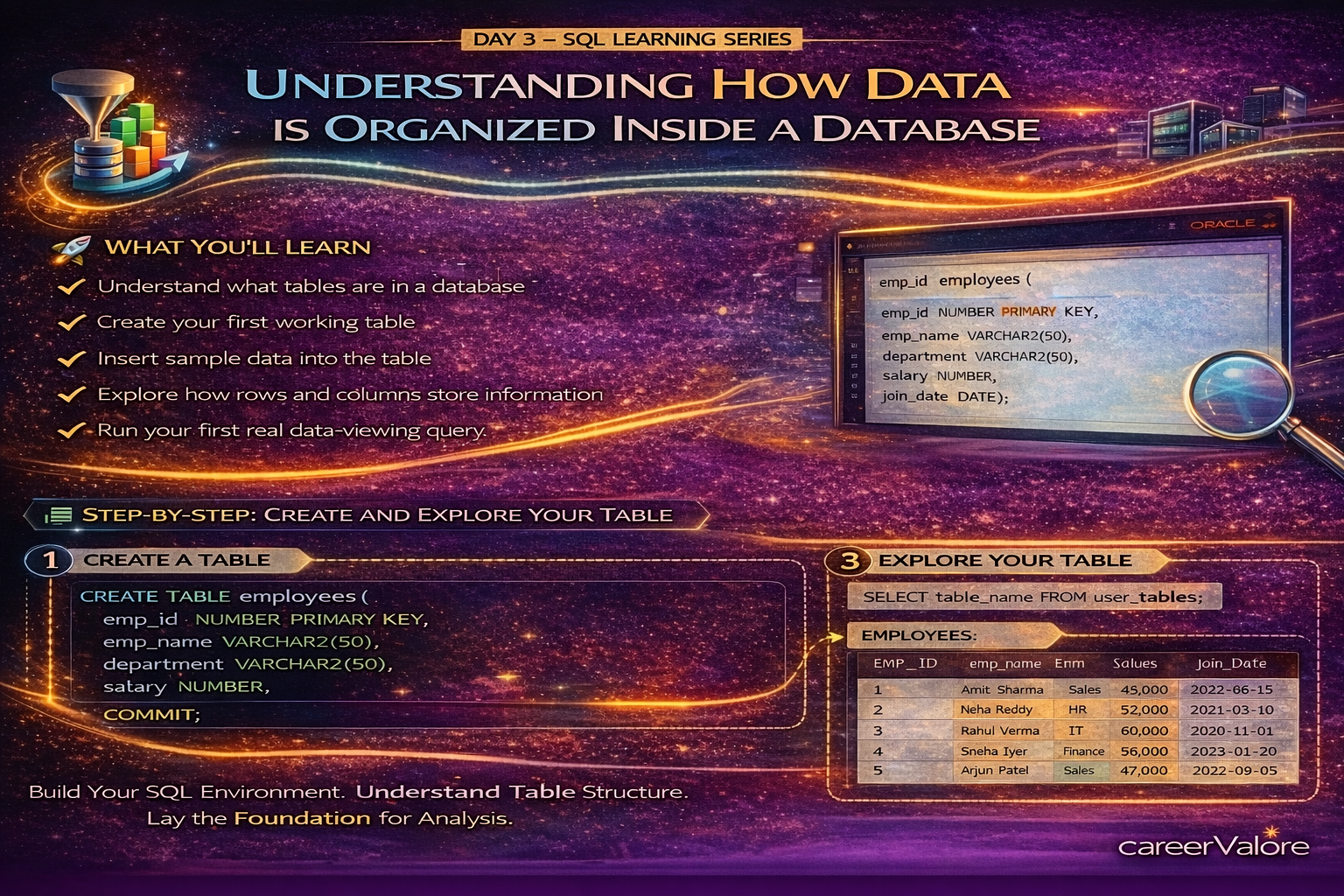
What You Will Learn Today
You will understand what tables are in a database.
You will create your first working table.
You will insert sample data into the table.
You will explore how rows and columns store information.
You will run your first real data-viewing query.
Why This Skill Matters for Your Career
In companies, you rarely start analysis immediately.
First, you either receive raw tables from engineering teams or create working tables for analysis.
Analysts must know how data is structured before writing reports, dashboards, or insights.
Understanding tables is the foundation of everything you will do in SQL jobs.
Concept Explanation in Simple Terms
Think of a database like an empty Excel workbook.
Before using it, you must create a sheet and add columns.
A table is exactly that sheet.
Columns define what type of information you store.
Rows are the actual records being added.
Today you are not just viewing data. You are setting up your own dataset like analysts do when starting a project.
How This Connects to What You Already Built
On Day 1 and Day 2, you prepared the environment and connection.
Today, in Day 3, you are creating the dataset that we will analyze for the rest of this series.
This makes the journey continuous and practical.
Step-by-Step Practical Section
Open VS Code.
Ensure your Oracle connection is active.
Create a new SQL file EMP_NAMEd:
employee_data.sql
Now create a table by running this query:
CREATE TABLE employees (
emp_id NUMBER PRIMARY KEY,
emp_EMP_NAME VARCHAR2(50),
department VARCHAR2(50),
salary NUMBER,
join_date DATE
);
You have now created a structure to store employee information.
Next, insert sample data:
INSERT INTO employees VALUES (1, ‘Amit Sharma’, ‘Sales’, 45000, DATE ‘2022-06-15’);
INSERT INTO employees VALUES (2, ‘Neha Reddy’, ‘HR’, 52000, DATE ‘2021-03-10’);
INSERT INTO employees VALUES (3, ‘Rahul Verma’, ‘IT’, 60000, DATE ‘2020-11-01’);
INSERT INTO employees VALUES (4, ‘Sneha Iyer’, ‘Finance’, 58000, DATE ‘2023-01-20’);
INSERT INTO employees VALUES (5, ‘Arjun Patel’, ‘Sales’, 47000, DATE ‘2022-09-05’);
Commit the changes:
COMMIT;
Now let us explore the table you created.
Run:
SELECT table_EMP_NAME FROM user_tables;
Then check the structure:
DESC employees;
Preview the stored data:
SELECT * FROM employees;
Explain What Just Happened
You created your own dataset.
You defined columns like department and salary.
You inserted real records.
You queried the table to view stored information.
This is exactly how analysts prepare sandbox data before analysis begins.
Common Beginner Mistakes to Avoid
Forgetting to run COMMIT after inserting data.
Misspelling table or column EMP_NAMEs.
Creating tables without understanding what each column represents.
Thinking SQL is only for reading data, when it is also used to build datasets.
Try This Yourself (Mini Practice)
Add two more employees of your choice using INSERT INTO.
Change department EMP_NAMEs or salary values.
Run SELECT * again and observe how your dataset grows.
This will be the same table we use in upcoming lessons.
How Today Builds on Previous Days
You installed the tools.
You connected to Oracle.
Today you created and explored your first working dataset.
Now you are ready to start asking questions from this data.
What Comes Next
Next, you will learn how to filter records.
Instead of viewing all employees, you will extract only specific information using conditions.
This is where SQL starts solving business questions.
Stay Connected
Blogs WhatsApp Channel (for daily quizzes and blog updates):
https://whatsapp.com/channel/0029VbCcWME4inotCWmN5511
Telegram Channel (Job Updates & Career Alerts):
https://t.me/careervalore
WhatsApp Channel (Daily Job Updates):
https://www.whatsapp.com/channel/0029Vay7sUV11ulUIhLBUI44
Quizzes are conducted related to today’s topic.
Conclusion
Today you didn’t just learn theory.
You created a real table, inserted real data, and explored it like an analyst starting a new project.
This dataset will now travel with you through the entire learning journey.
You are now working with SQL, not just reading about it.